New in SyriaFor institutes, language centres and courses

An AI assistant that answers parents and students on WhatsApp, day and night.

She explains your courses, prices and schedules, shows the groups that still have seats, and makes a provisional enrollment, even when a mother is signing up her son. You confirm with one tap, and the confirmation goes out on WhatsApp by itself.

  • Confirmation comes from you
  • Never promises results or grades
  • First 14 days free
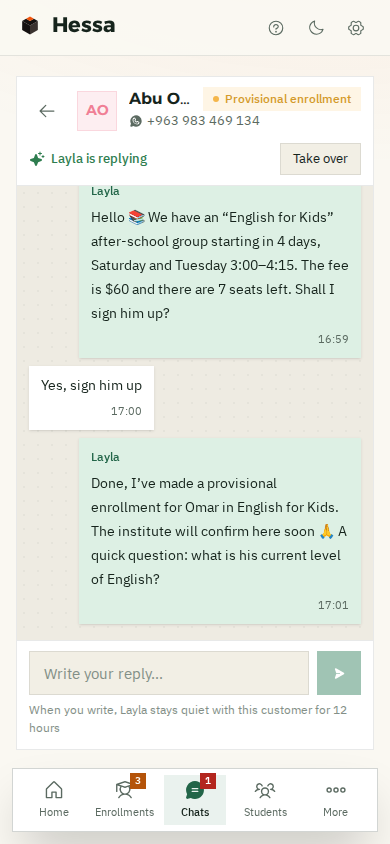
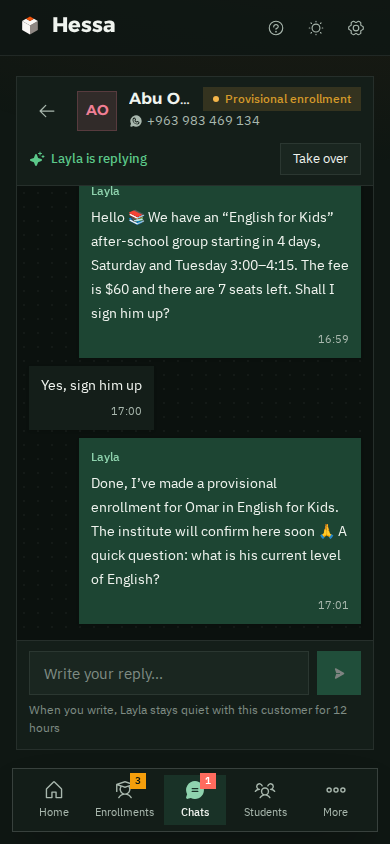
A WhatsApp chat on a phone: a father wants to enroll his son Omar in English for Kids, and Layla shows him the after-school group with its price and seats and makes a provisional enrollment Layla's chat with the father on a phone, in dark mode
  • Day and nightShe answers every message, even at midnight.
  • Real seatsShe only offers groups that still have room.
  • Provisional enrollmentShe takes the name and the group; you confirm.
  • Confirmation and reminderThey reach the student on WhatsApp by themselves.
AI assistant · new in Syria

A mother asked about a course for her son at 11 pm? She got an answer, and his enrollment is waiting for you to confirm.

She answers on your institute's own WhatsApp number, using the information you give her: your courses, groups, prices and notes. You see every word, and you can step in whenever you want.

In the demo institute the assistant is called “Layla”. You can name her whatever you like.

  1. Answers at night tooSomeone asking at 11 pm doesn't go to another institute because nobody replied.
  2. Knows your coursesThe level, number of sessions and hours, the right age, the price, the teacher, and whether it's in person or online.
  3. Seats come from the systemShe only says “there's room” when there really is a free seat, and she never enrolls anyone in a full group.
  4. Helps choose the levelBased on what the student tells her, and she says clearly that the institute confirms the level, or that there's a placement test if you have one.
  5. Parents enroll their childrenShe talks with the mother or father, and enrolls the child under their own name and age.
  6. Always a “provisional enrollment”And she tells the parents: the institute will confirm it here. Confirming or declining is up to you.
  7. Never promises resultsNo grades and no “he'll definitely pass”. And she never makes up a discount, a certificate or a group date.
  8. A complaint about a teacher or a class?She hands the chat to you straight away with a WhatsApp alert, and you take it from there with the parents.
  9. Discounts are your callAny request for a discount, instalments or a refund comes to you. If you've written down a sibling discount, she says exactly that and nothing more.
  10. Asks you when she doesn't knowShe tells the parents “I'll check” and asks you. You answer, she sends the reply, and you can save it for next time.
  11. Understands voice notesA mother sends a voice note, and she understands it and replies.
  12. Take over any timeWrite yourself, from the app or your phone, and she goes quiet with that person. And before you switch her on, you can try her as if you were a parent.
From the demo institute

“The teacher missed two classes and nobody told us”? No selling here.

A complaint about a teacher or a class, or anything about a child's safety: the assistant doesn't decide for you. Here's what she does:

  1. She tells the parents that the management will get back to them, and promises nothing.
  2. The chat is marked “Needs your reply”, and you get a WhatsApp alert.
  3. You tap “Take over” and carry on yourself, then “Done, sorted”.
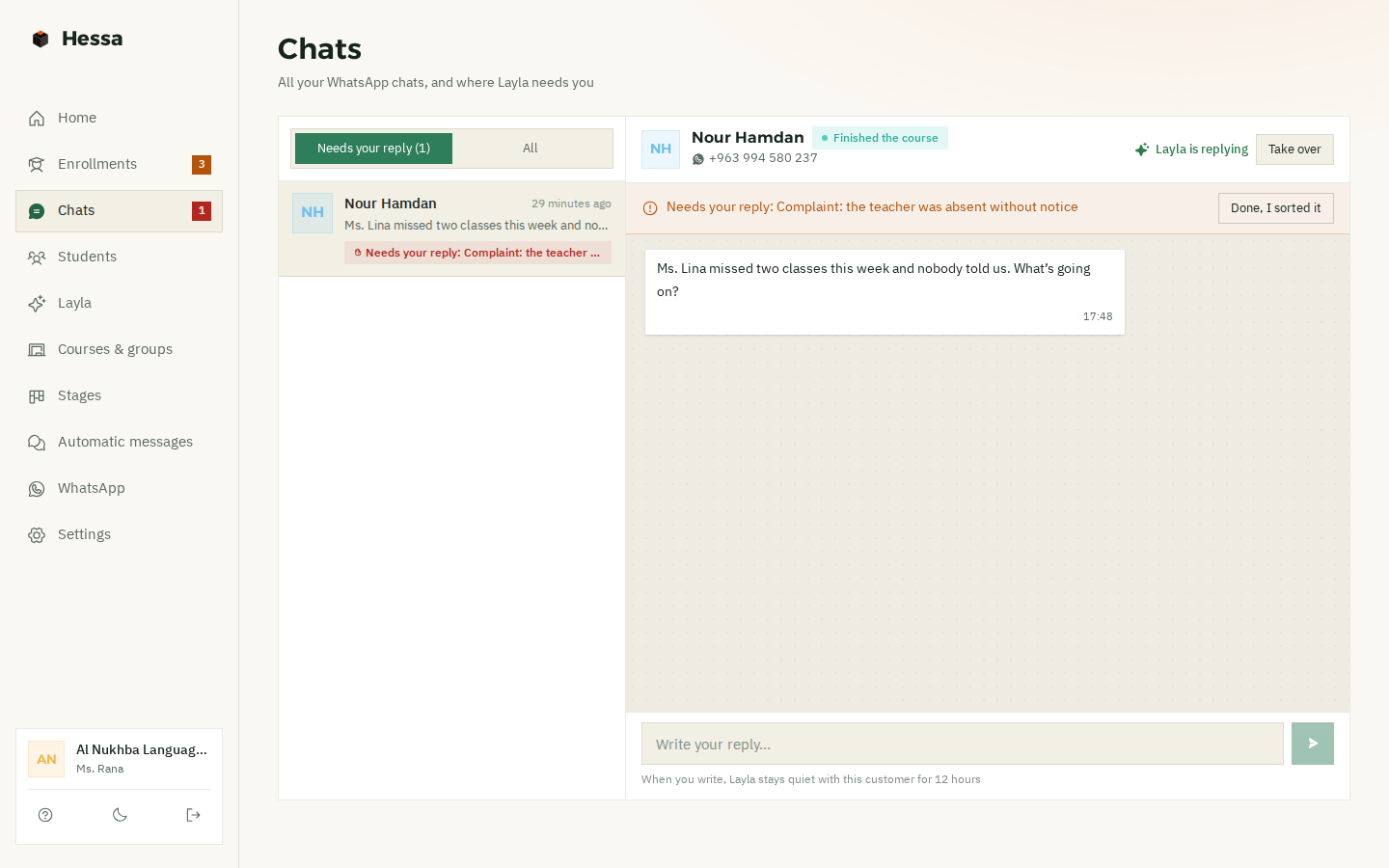
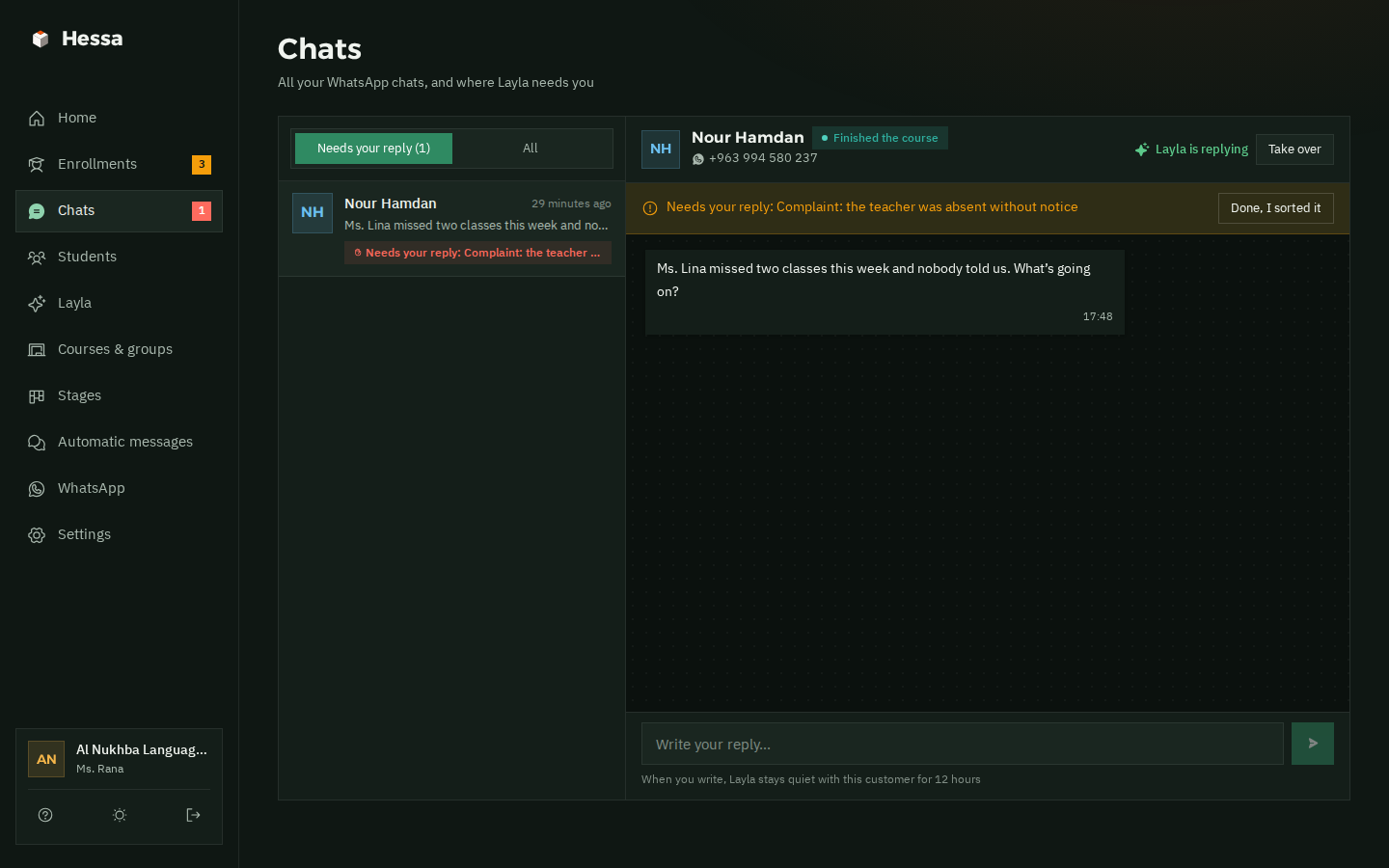
The chats page: a mother says the teacher missed two classes this week without telling them; the chat is marked “Needs your reply: complaint, teacher absent without notice”, with “Take over” and “Done, sorted” buttons The chats page in dark mode, with the complaint handed to the institute
From the first question to the last class

Every student has an enrollment, and every enrollment moves until “Completed”.

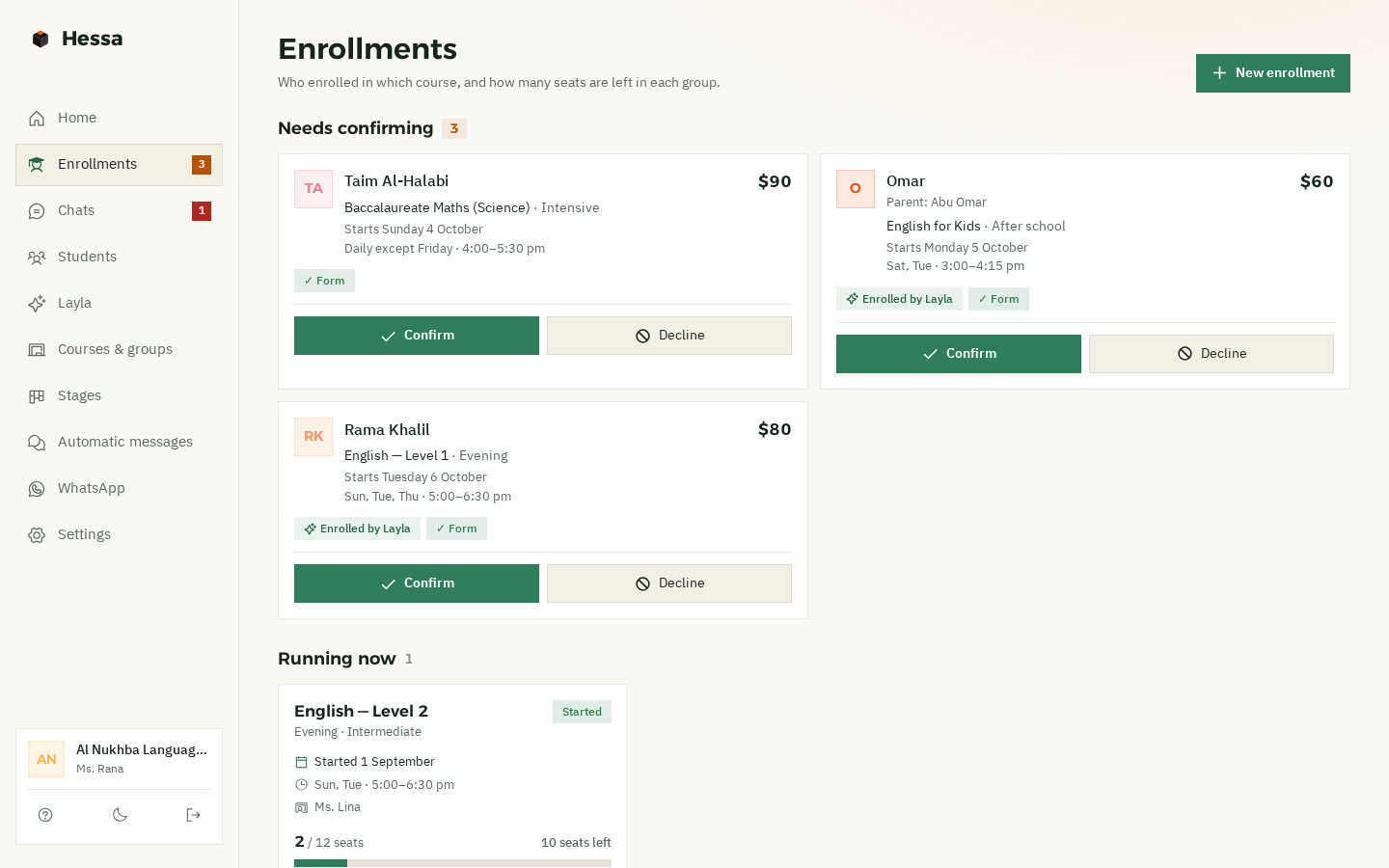
One page with every enrollment: who's waiting for you to confirm, who's confirmed, who's attending, and who has finished and is ready for the next level. Plus who has paid and who hasn't yet.

  1. 1InterestedThey asked, and the assistant found out what they want to learn and who it's for.Automatic follow-up
  2. 2ProvisionalFrom her or from you. You get an alert, and the seat is held.
  3. 3ConfirmedOne tap, and the confirmation reaches the student on WhatsApp.Reminder before the first class
  4. 4AttendingWhen the group starts, everyone confirmed moves to “Attending”.
  5. 5CompletedWhen the group ends, everyone completes: a thank-you, a request for feedback, and the next level.Automatic messages
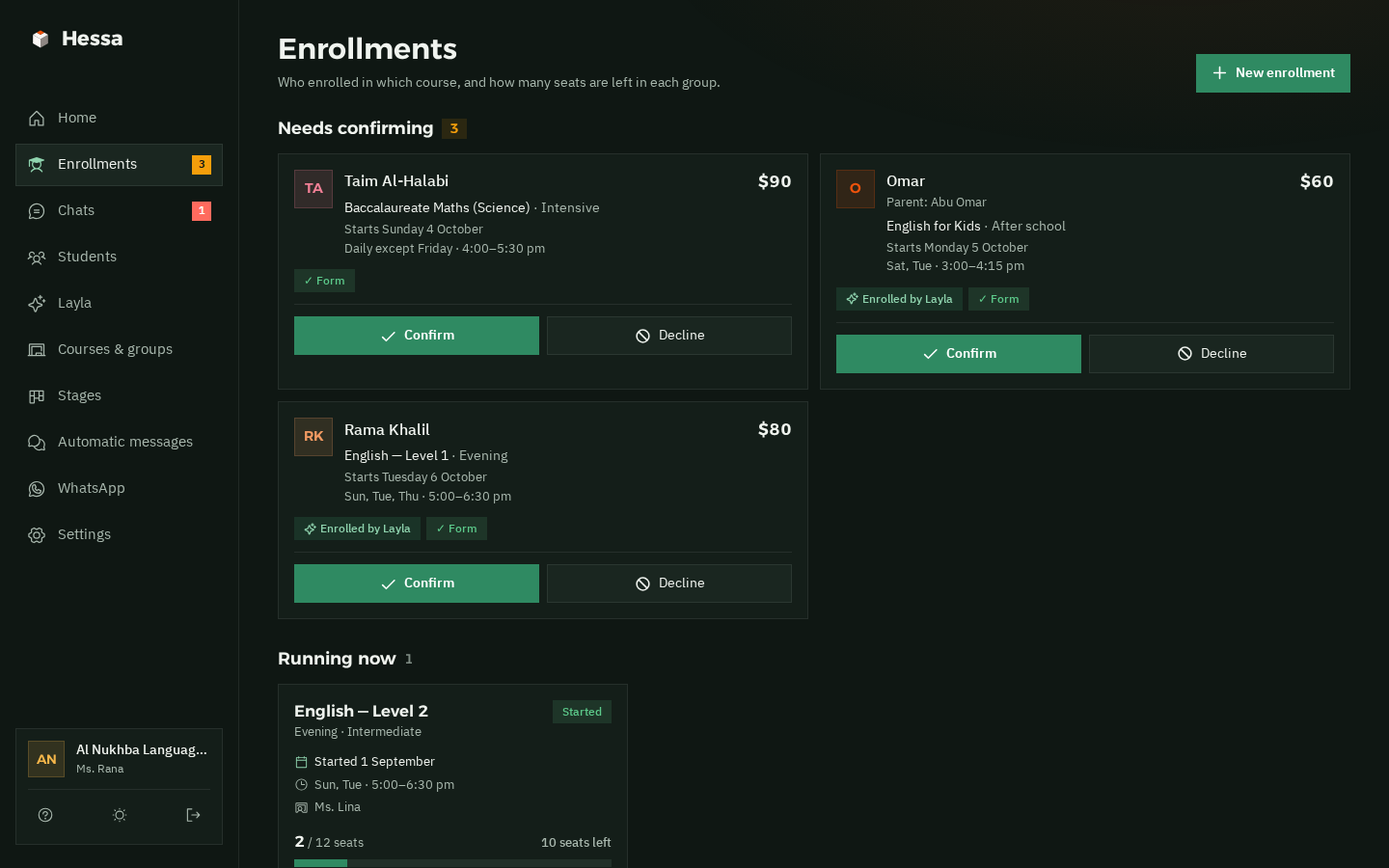
Hessa's enrollments page: three enrollments that need confirming, each with the student's name, course, group and price, tags “Enrolled by Layla” and “Form”, and Confirm and Decline buttons The enrollments page in dark mode
“Enrolled by Layla” on every enrollment the assistant brought in, and “Form” when they've answered your questions.
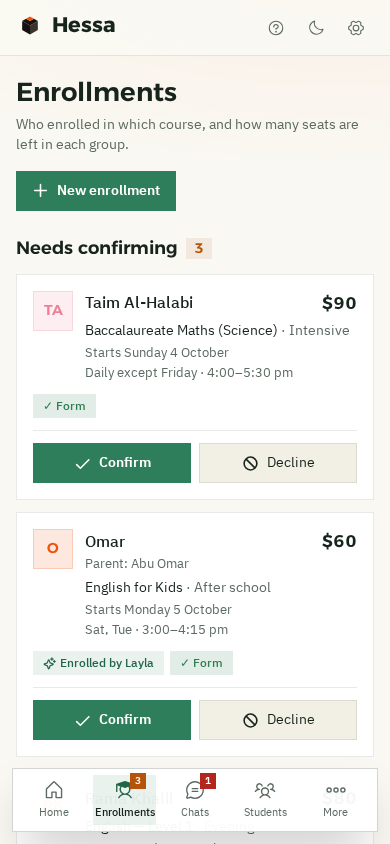
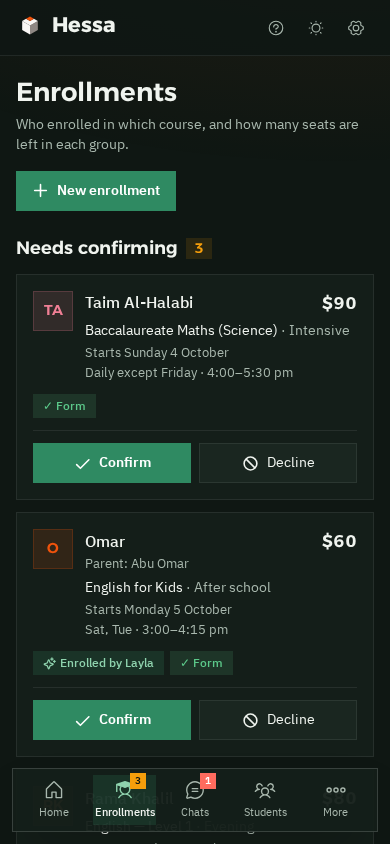
Enrollments on a phone: enrollments that need confirming, with Confirm and Decline buttons Enrollments on a phone in dark mode
And from your phone too.
Seats

Every group with its seats, and what's left at a glance.

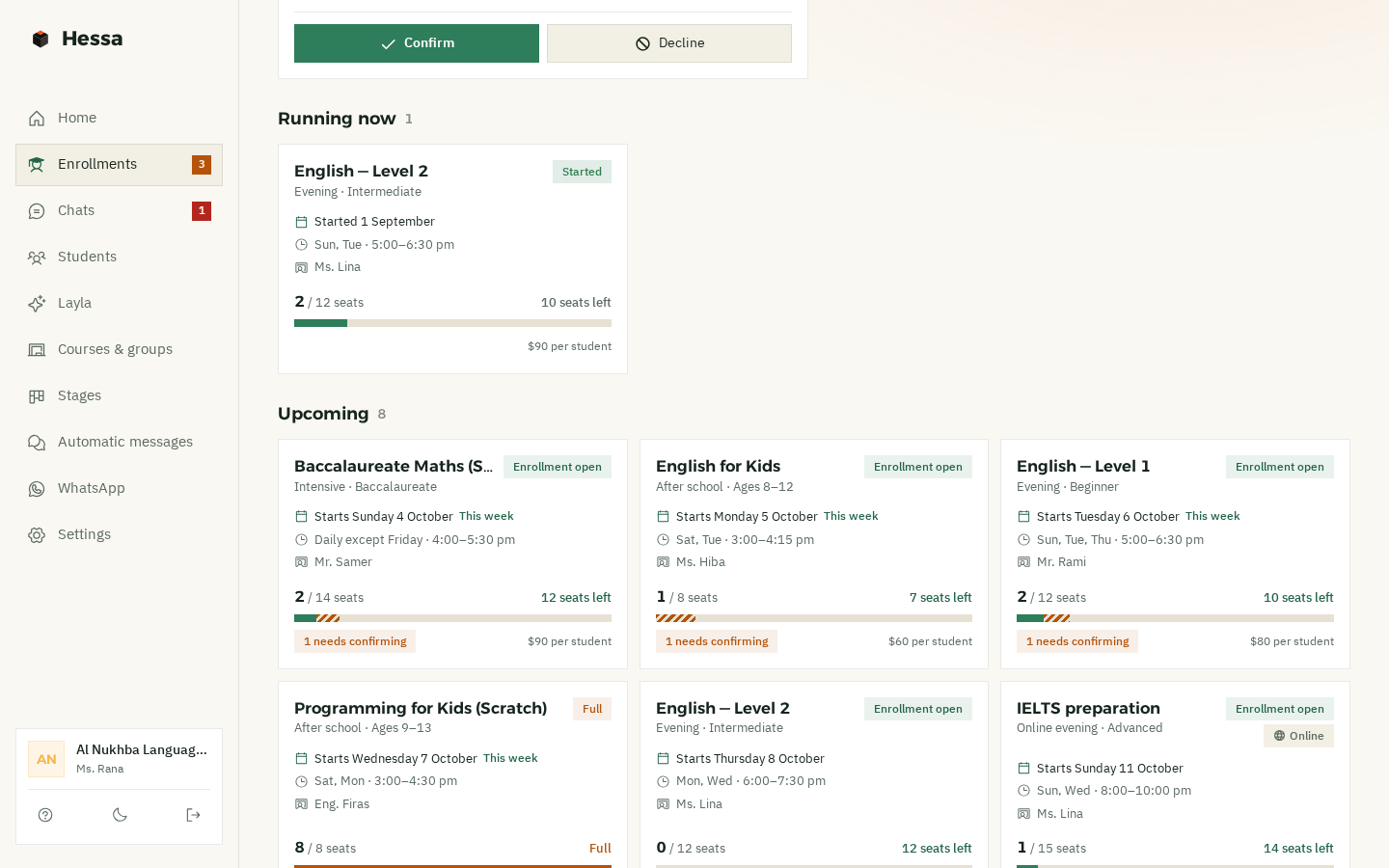
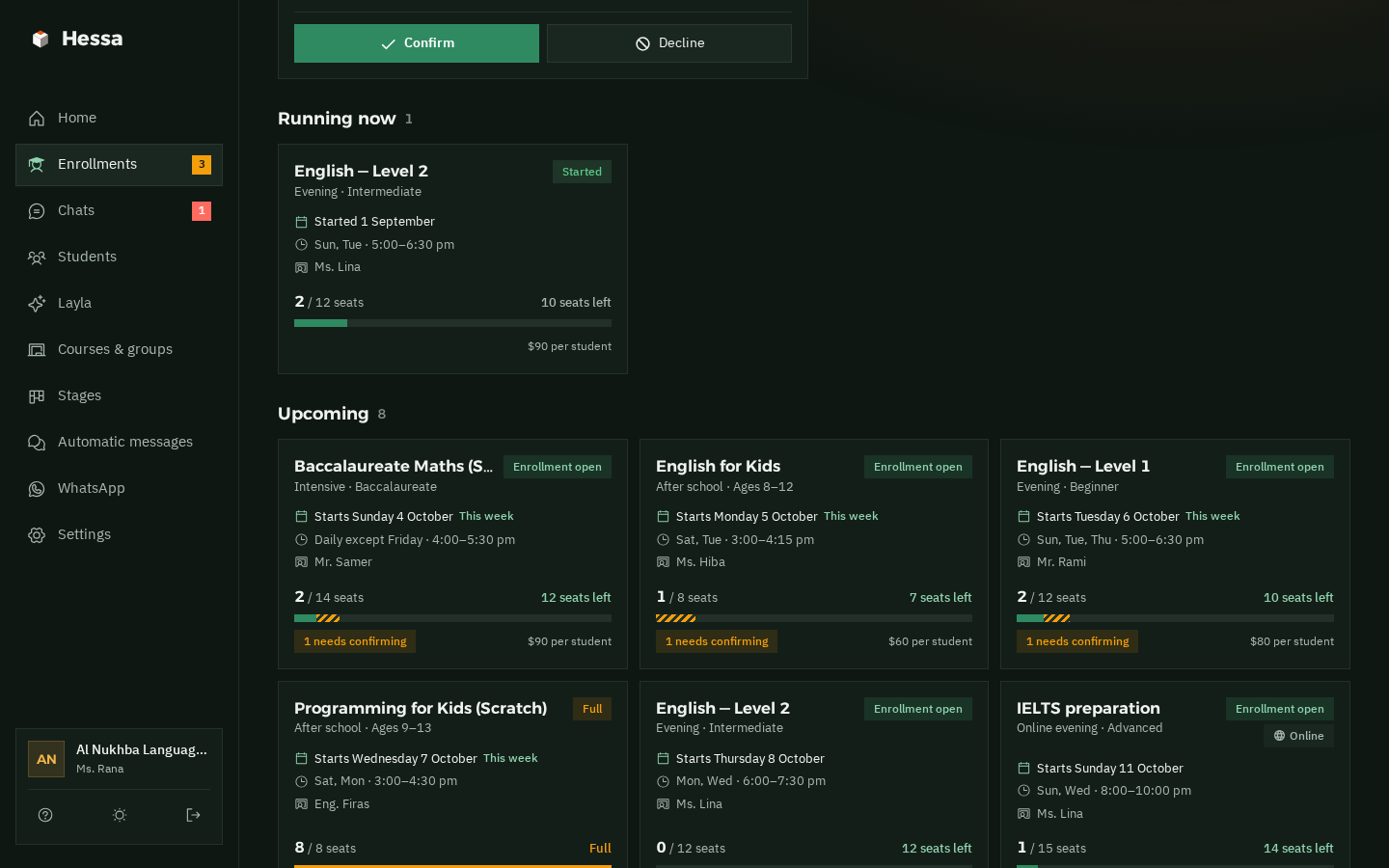
Each group has a bar: how many are confirmed, how many are waiting to be confirmed, and how many seats are left. The assistant never enrolls more students than there are seats, and when a group fills up, it's marked “Full”.

  • Confirmed
  • Enrollment to confirm
  • Free seats
  • Full
Upcoming groups on the enrollments page: each with its start date, days, time and teacher, and a seat bar showing “10 seats left” and “7 seats left”, and a Coding for Kids group marked “Full” Groups and their seats in dark mode
Automatic messages

From the first question to the next level, the messages go out on their own.

With the student's name and your institute's name, right on time. You don't write a single one, and you can change the wording of the follow-ups however you like.

  1. Asked but didn't enrollAfter 3 days

    Hi Rama, it's Al Nukhba here. Seats in the upcoming groups are filling up. Would you like us to hold one for you?

    No interested student gets forgotten
  2. When you confirmEnrollment confirmation, right away

    Hi Rama 📚 Rama's enrollment at Al Nukhba is confirmed: English — Level 1 Starts Oct 3 · Sun, Tue, Thu · 17:00–18:30

    With the fee, and “Paid” once they've paid
  3. The day before the first classReminder, confirmed enrollments only

    Hi Rama 📚 A reminder from Al Nukhba: the first class of “English — Level 1” is tomorrow at 17:00. See you there! If anything changes, just reply here.

    Fewer empty seats on day one
  4. End of the courseWhen the group ends

    Congratulations, Rama 🎓 You've finished the course with Al Nukhba. Well done on all your hard work.

    The first message after the course, right on time
  5. 3 days later“Your opinion matters”

    Hi Rama, your opinion matters to us: what did you like most about the course, and what could we do better?

    You hear what's happening in your classes
  6. 20 days laterThe next level

    Hi Rama 📚 The next level starts soon. Would you like us to hold a seat for you?

    A new enrollment, from a returning student

And with every new course. If the same student comes back and enrolls in the next level, the after-course messages start over.

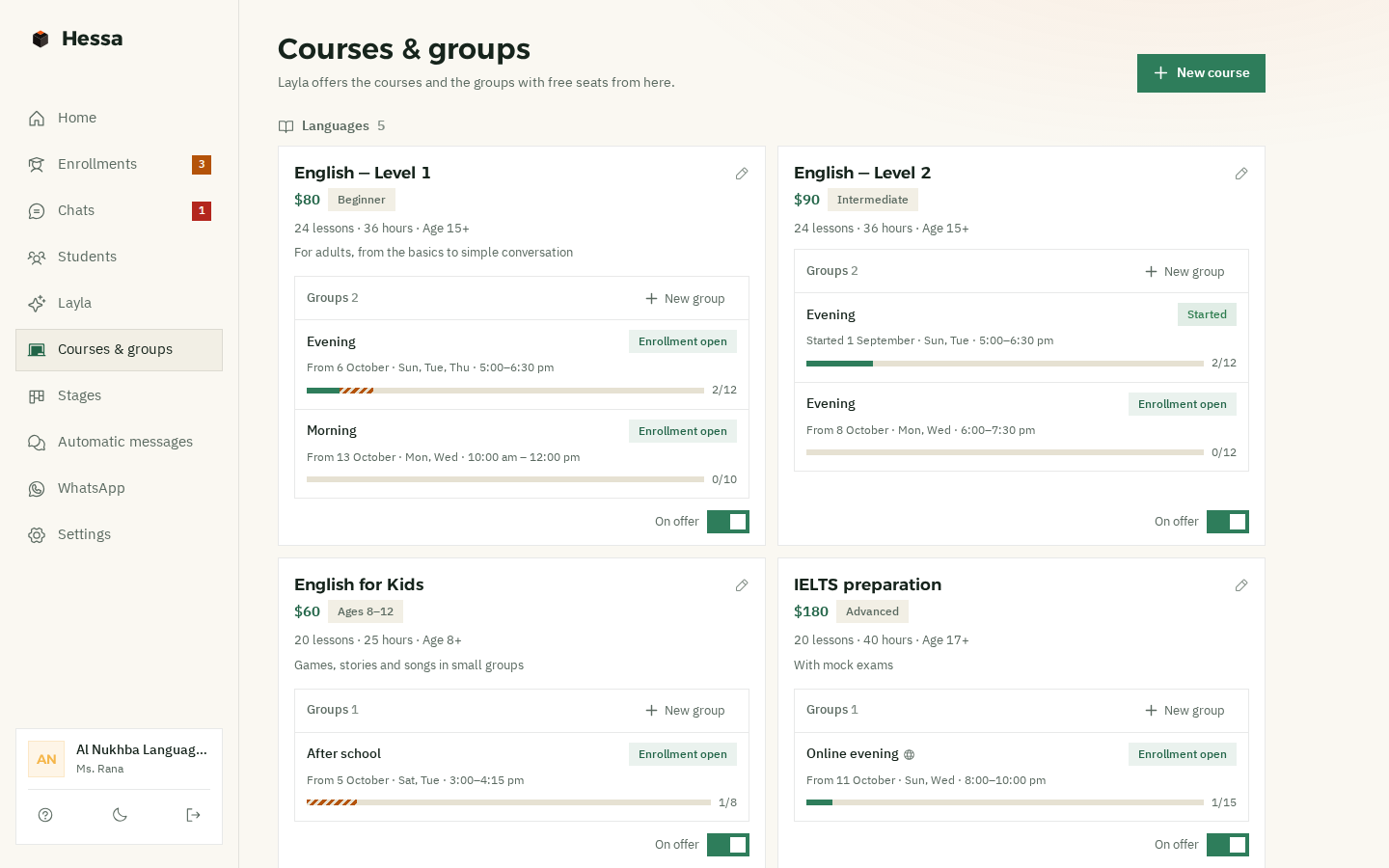
Courses & groups

Your courses, groups and prices, and the assistant works from them.

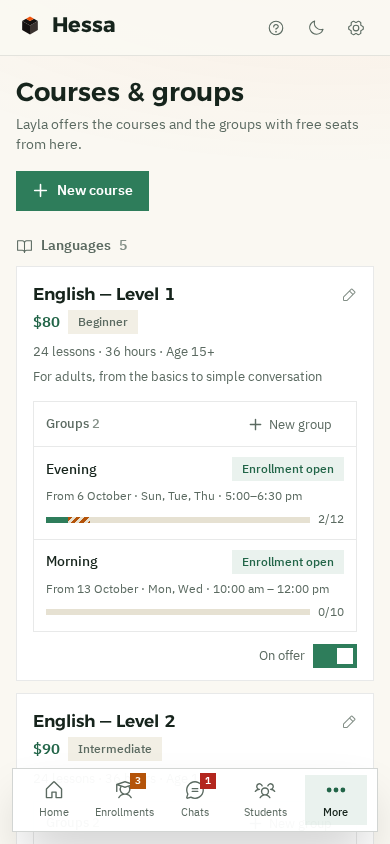
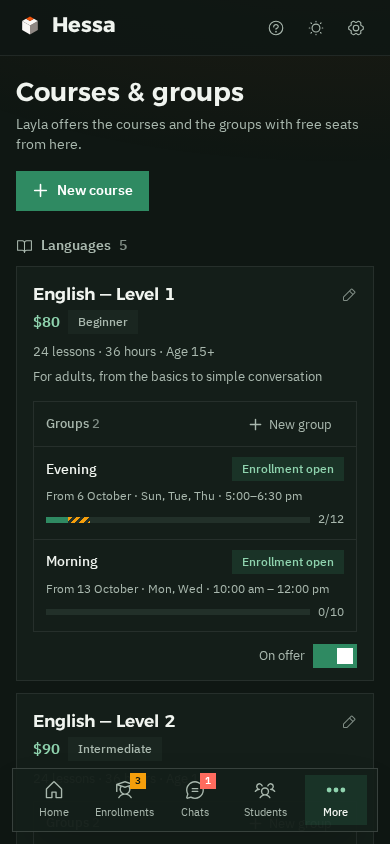
Each course has its level, price and number of sessions, with its groups below by days, time and seats. The assistant offers what's there and never makes anything up.

Courses on a phone: Coding for Kids with its price and age range, and its after-school group marked “Full”, 8 of 8 Courses on a phone in dark mode
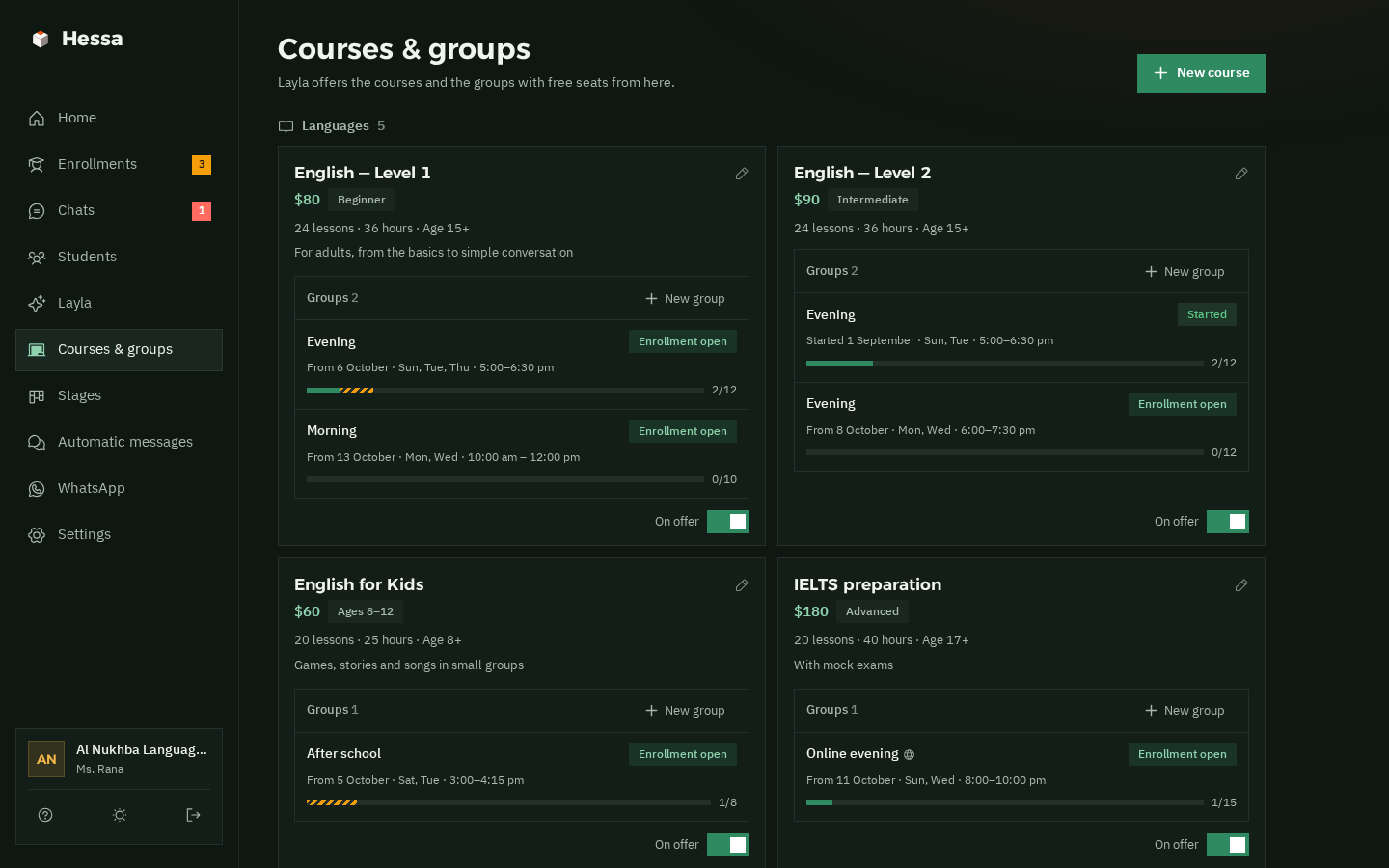
The courses and groups page: coding and school-support courses, each with its price, level, sessions, hours and age, their groups with seat bars, and a “Shown” switch The courses and groups page in dark mode
  • CoursesThe level, number of sessions and hours, the right age, the price, and a short description.
  • GroupsDays and time, start date, number of seats, the teacher, and in person or online.
  • Shown or hiddenCourse on hold? Switch it off with one tap, and the assistant won't offer it.
  • Your institute's formYour own questions. The assistant asks them after the enrollment.Student's ageCurrent levelParent's nameHow did you hear about us?
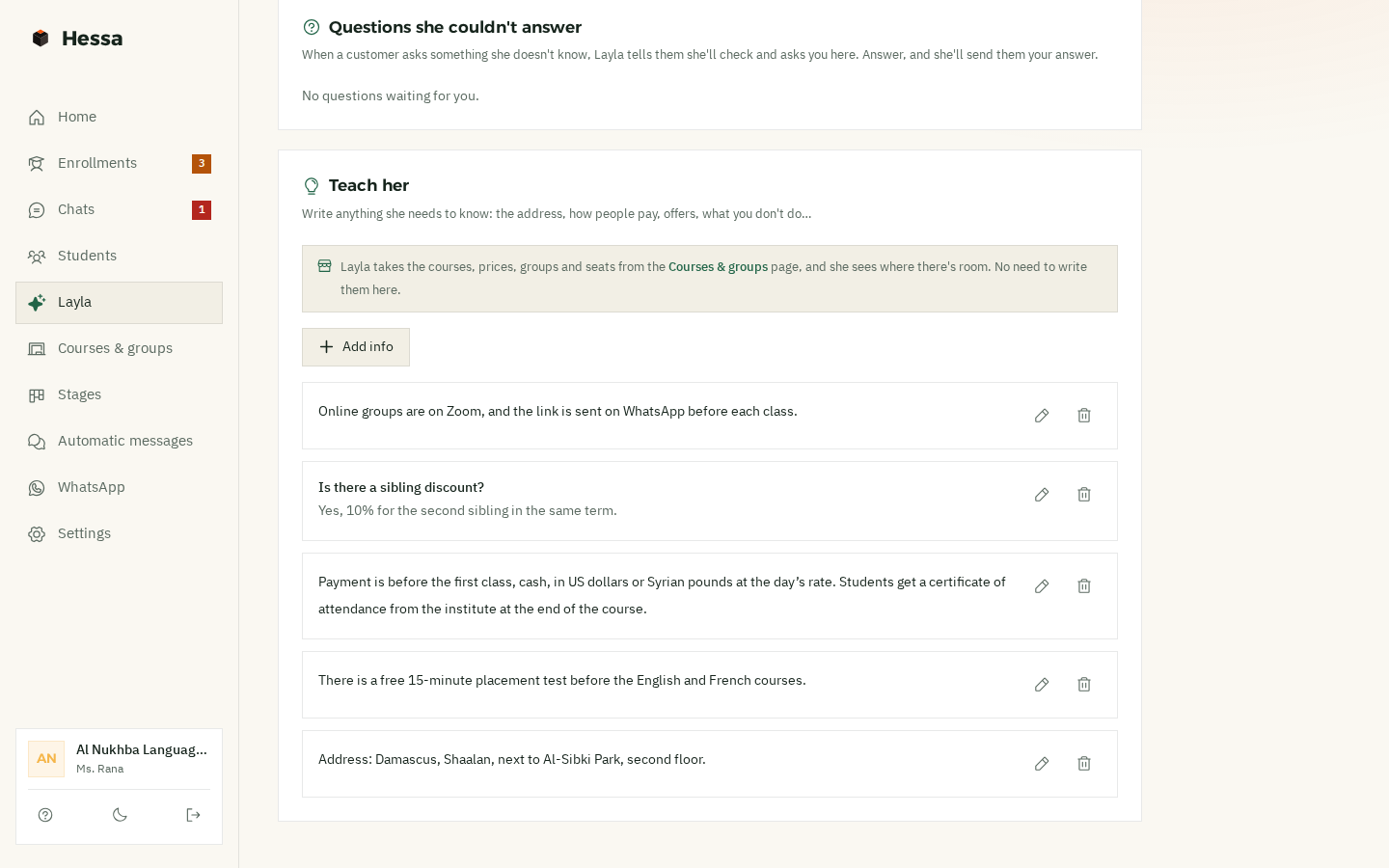
Teach her

What you'd say on the phone, she says on WhatsApp.

Your address, how to pay, the placement test, the sibling discount, the online class link… Write it once, and she answers from it. Questions she couldn't answer show up here for you to answer.

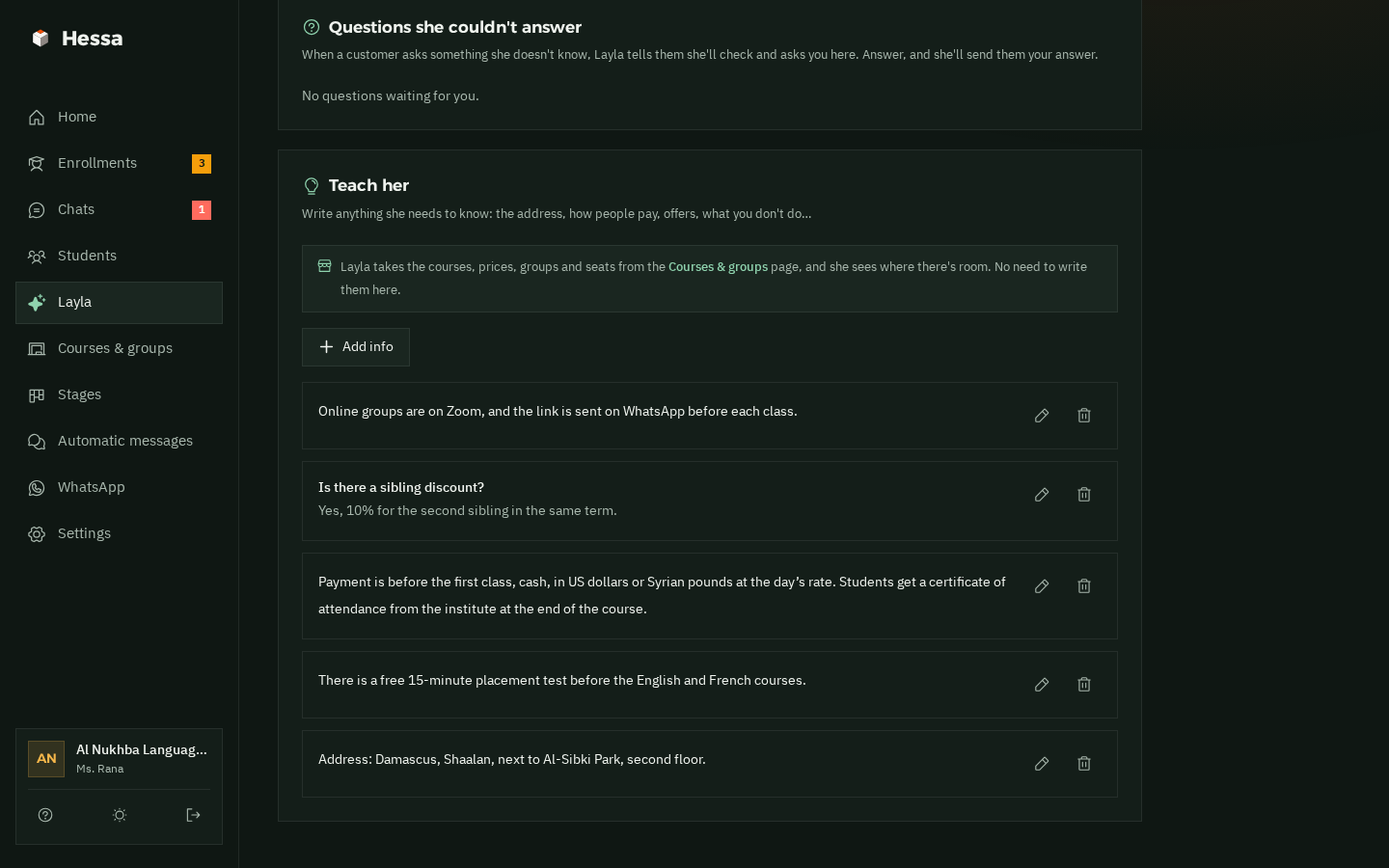
Layla's page: “Questions she couldn't answer” and “Teach her” with the institute's information: the Zoom link for online classes, 10% off for a second sibling, payment before the first class, a free placement test, and the address Layla's “Teach her” page in dark mode
Also in the system

All your institute's WhatsApp work, in one place.

One inbox All your WhatsApp chats, with the ones that need your reply on top.
Today at a glance Groups starting this week, groups running now, enrollments to confirm, and who hasn't paid yet.
Bring your old students Upload an Excel file. Syrian numbers are understood however they were written.
Stages and follow-ups Every student is in a stage: interested, provisional, confirmed, completed, or didn't enroll. Each stage has its own messages.
Safe sending for your number Human-like gaps, a daily limit and “typing…” before each message, to keep your number safe.
Light on slow internet On a computer or on your phone, in English or Syrian Arabic, on Damascus time.
Pricing

One price, everything included.

The same system for small and large institutes, course centres and private tutoring, with the AI assistant included.

Hessa

New in Syria
$50a month

The whole system, plus an AI assistant who answers and enrolls students for you.

  • Courses and groups, with seats, prices and schedules
  • Enrollments from “Provisional” to “Completed”, and who has paid and who hasn't
  • A reminder before the first class, follow-ups for interested students, and the next-level offer
  • All your WhatsApp chats in one place, plus import from Excel
  • An assistant who answers parents and students day and night
  • Explains your courses and offers the groups that have seats
  • Makes provisional enrollments, including parents for their children, and you confirm
  • Complaints and discount requests come to you
  • Understands voice notes; try her before you switch her on, and take over any time
Talk to Sham

First 14 days free, on your real account

Each extra WhatsApp number $10 a month

Monthly payment, arranged directly with the Muhkam team

Questions

Questions from institute owners

Another question? Ask Sham on WhatsApp. She replies in seconds.

01Do I need to be good with technology?
No. The Muhkam team opens your account. You link WhatsApp from your phone with a code or a QR, then add your courses, groups and prices. If you get stuck, Sham or the team will help you step by step.
02Does the assistant confirm enrollments on her own?
No. She makes a provisional enrollment and tells the parents clearly: “the institute will confirm it here”. You get an alert, and you confirm or decline from “Enrollments”. As soon as you confirm, the confirmation goes to the student on WhatsApp with the group's details.
03What happens when a group is full?
The assistant never enrolls anyone in a group with no seats, because she reads the seats from the system, not from memory. She tells the student honestly that it's full, and takes their details so they hear when a new group opens. You can still add a student over the limit yourself if you want to.
04What if parents complain or ask for a discount?
A complaint about a teacher or a class, anything about a child's safety, or a request for a discount, instalments or a refund: she hands the chat to you straight away, it's marked “Needs your reply”, and you get a WhatsApp alert. The only discount she talks about is one you've written down yourself, like a sibling discount.
05Can I reply myself at any time?
Of course. Take over any chat at any time, from the app or straight from your phone, and the assistant goes quiet with that person. When you're ready, hand the chat back to her with one tap.
06How do I get started?
Talk to Sham on WhatsApp, and the Muhkam team will get in touch to open your account. Then you link the institute's number from your phone and add your courses and groups. Before that, you can look around the demo institute and see how everything works.
07How do I pay?
The first 14 days are free, on your real account. After that, payment is monthly and arranged directly with the Muhkam team: $50 a month with the AI assistant, plus $10 for each extra number. We'll agree on how you pay when we set up your account.
08Does it work on a weak connection?
Yes. The app is light and built for slow internet. Messages and replies are sent from our side as a linked WhatsApp device, so they go out even if your phone is off or your connection is weak. Just let your phone connect to the internet every few days, because WhatsApp unlinks devices when the phone stays offline for a long time.
Team

The team behind Hessa.

A small team from Muhkam, half human and half AI, with one job: making sure no student asking about a course slips away from your institute.

Qusai

Founder · Muhkam

Sits down with institute and training centre owners, listens to what's wearing them down, and decides what we build next.

Blaze

Systems engineer AI

Builds and improves Hessa every day: enrollments, courses and groups, the assistant and the reminders.

Sham

Sales & support AI

Answers you day and night, explains the system, signs you up, and if you get stuck, sorts it out with you.

Chat with her →

Louay

Co-founder · Growth in Syria

Brings Hessa to institutes and training centres across Syria, close to them on the ground, and stays with you from day one until everything runs smoothly.

Get your account

Talk to Sham on WhatsApp.

Sham is Muhkam's AI assistant on WhatsApp. Ask her anything about Hessa, and when you're ready to start, she takes your details and the Muhkam team gets in touch to open your account.

  • Replies in seconds, in English or Syrian Arabic.
  • She's a live example of the assistant who will answer your parents and students.
  • You can ask to speak to someone from the team at any time.
S
ShamOn WhatsApp · +963 968 317 581
Hi, I run a language and training institute. How can Hessa help me?21:04
ShamHi 👋 Hessa keeps your courses, groups and enrollments in one place, and confirmations and reminders reach students on WhatsApp by themselves. There's also an AI assistant who answers parents and students day and night and makes provisional enrollments, and you confirm them. What's your name, and what's your institute called?21:04